2007 Epson Pro 7880/9880 Field Repair Guide
350 Pages • 13.69 MB • Instant, Printable PDF
Epson Models Covered & Key Technical Specifications
Models: Pro 7880, Pro 9880
Model Year: 2007
-
Ink Reservoir Configuration: 8 bays
-
Ink Flow Capacity: 5.3 ml maximum
-
Print Speed Threshold: 18 ppm for optimal operation
-
Print Head Attachment: 3-screw mount system
-
Paper Cutter Pressure: 100% calibration standard (0–150% range)
Epson Manual Features & Content Preview
- 350-page PDF for the Epson Stylus Pro 7880 and Stylus Pro 9880 wide-format printers; initial release dated December 20, 2007.
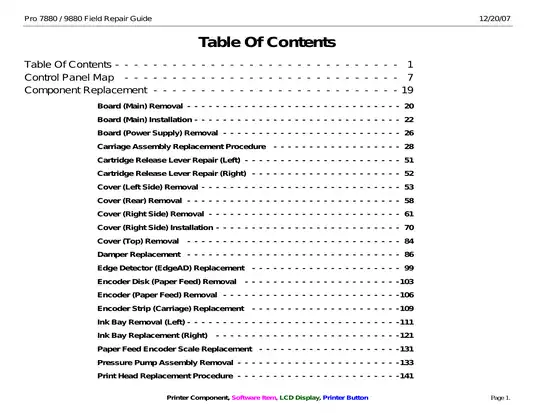
- Covers main-board and power-supply service, carriage and print-head replacement, damper and ink-bay repair, pressure-pump work, and pump/cap and wiper service.
- Builds fault finding around maintenance and service error codes, service-mode sensor and actuator tests, print-quality diagnosis, paper handling, ink delivery, and computer communication faults.
- Details post-repair calibration for head slant, bidirectional and unidirectional alignment, paper feed and margins, platen and borderless-pad position, cutter position, paper-thickness sensing, and ink-mark sensing.
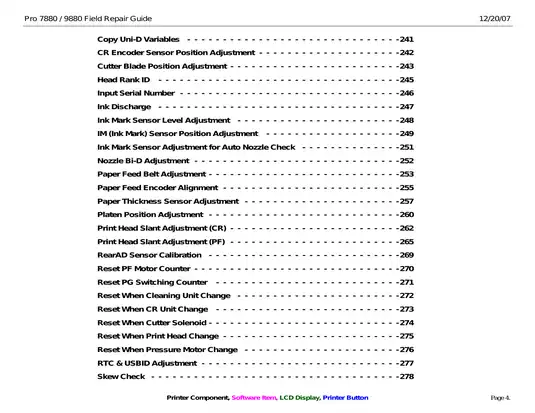
- Explains NVRAM backup and restore, firmware loading, main-board initialization, Head Rank ID entry, serial/USB/MAC identification, and component-life counter resets.
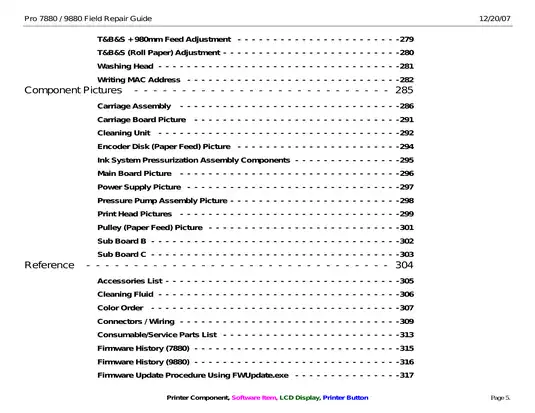
- Provides labeled component views and connector maps for the main, carriage, and sub boards, cleaning unit, pressurized ink system, motors, sensors, solenoids, and fans.
This field repair guide is suited to experienced printer technicians and capable repairers who can work in Serviceman and Self Testing modes, use Epson adjustment utilities and precision jigs, and service a pressurized ink-delivery system. It is not beginner maintenance material.
Field Replacement and Model-Specific Coverage
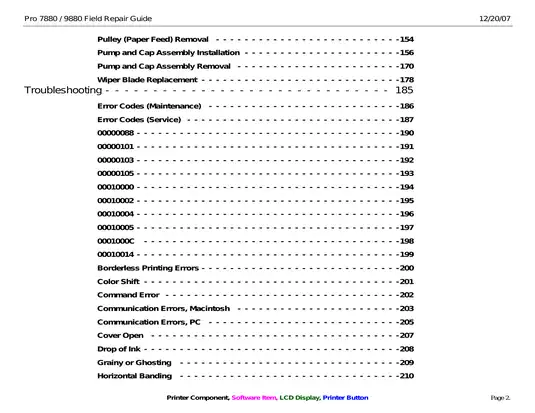
The component chapters document more than cover removal and part location. They cover removal, transfer, installation, and required follow-up work for the carriage assembly, print head, dampers, EdgeAD detector, carriage encoder strip, paper-feed encoder and scale, paper-feed pulley, pressure-pump assembly, left and right ink bays, pump-and-cap assembly, and wiper blade.
Main-board replacement includes parameter backup before removal and a defined recovery path when the original NVRAM data cannot be retrieved. The guide identifies main-board P/N 2117093 for the 7880 and main-board P/N 2117078 for the 9880, then ties installation to firmware loading, the correct Photo Black or Matte Black parameter set, printer identification data, sensor calibration, feed correction, head alignment, and cutter setup.
Model-specific notes distinguish the 9880's auto take-up reel connection, additional maintenance tank, third paper-suction fan, and 44-inch accessories from the 7880's 24-inch hardware and accessory set.
Service-Mode Diagnosis and Calibration
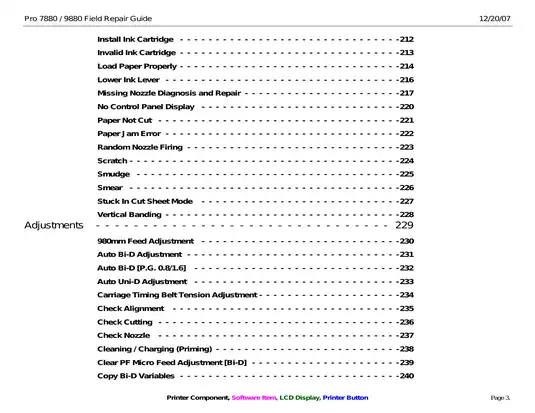
Maintenance and service error-code tables cover carriage and paper-feed motors, encoders, platen-gap positioning, the print head, cleaning unit, pressure-pump system, CSIC communication, NVRAM, memory, and board-level faults. Separate repair sections trace missing or randomly firing nozzles, ink drops, borderless-printing faults, color shift, grainy output, ghosting, horizontal and vertical banding, paper loading and cutting errors, cartridge recognition, a blank control panel, and USB/Ethernet communication problems.
The adjustment material includes the 980mm Feed Adjustment, combined top/bottom/side-margin and feed calibration, CR and PF print-head slant, Auto Bi-D and Auto Uni-D alignment at multiple platen gaps, CR and PF encoder positioning, paper-feed belt tension, paper-thickness sensor setup, RearAD calibration, Ink Mark Sensor setup, cutter-blade position, platen-position calibration, skew testing, and post-repair life-counter resets.
Two ink-system repair traps are called out clearly. The Light Light Black and Light Black tubes can be interchanged during left ink-bay work, while overtightening damper or ink-bay fittings can damage their O-rings and cause leaks when the system pressurizes. The EdgeAD procedure also warns that the nearby Ink Mark Sensor foil cable is easily damaged or pulled from the sensor.
Service References, Tools, and Scope
Reference pages identify a 1000mm scale (P/N 1047746), cleaning cartridge P/N 1404261, paper-thickness sensor jig P/N 1424364, Ink Mark Sensor jig P/N 1424365, cutter-position jig P/N 1424366, and the listed tension gauges and service materials. Particularly useful visual references include the Main Board connector view, C594 Carriage Board map, C594 Sub-B and Sub-C board maps, Cleaning Unit view, and Ink System Pressurization Assembly view. Connector-to-component and pin-count tables support wiring checks, but the guide does not contain full board-level circuit schematics.
Adjustment Wizard2, FWUpdate.exe, and NVRAM.EXE are explained and illustrated for alignment, firmware transfer, and parameter recovery. The executable utilities and generic NVRAM files are separate service resources and are not embedded in this PDF. This is a field-repair publication focused on selected component replacement, diagnosis, calibration, and service reference data; it is not a complete parts catalog or theory-of-operation manual. A few internal captions and utility notes retain 7800/9800 wording, although the publication header and model coverage identify the guide as 7880/9880.
Board and power-supply repair requires AC isolation, and ink-side work involves stored pressure and a substantial leak risk. Use appropriate electrical, ink-containment, and service-mode precautions for this equipment.
Customer Reviews
Read what our customers say about this Epson Printer manual and share your own experience.