Product page: https://www.repairloader.com/manual.php/cef238b
Takeuchi mini excavator listings can look similar at a glance, so the safest way to choose the right PDF is to match the listing’s coverage markers to your machine plate details. This post is a buyer-focused preview of what this TB135 document is and how to verify fit using serial ranges, book numbers, and engine family codes shown in the file.
The ID “cluster” that makes a TB135 listing unambiguous
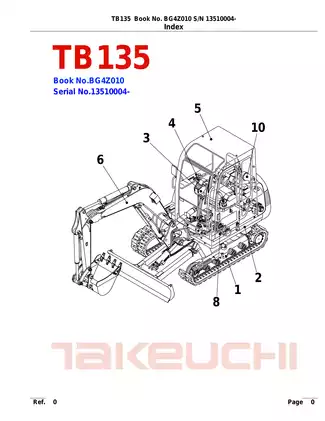
For this manual, the key identifiers are presented right at the front of the document. When a listing includes the same cluster, it’s a strong signal you’re looking at the correct edition:
- Model: TB135
- Book number: BG4Z010
- Serial coverage cue: 13510004– (serial number starting point shown as “13510004-”)
- Engine family references: 3TNE88-(E)TB(1), 3TNV88-QTB / QTB1, 3TNV88-QTB2
- Publication date marker: 2007-05-31 (as displayed in the index section)
If your machine serial falls inside the serial window shown on the listing, and the TB135 book number matches, you’re typically in the right place.
What this PDF is (parts catalog) and what it isn’t
This file reads like a parts catalog: it’s organized around assemblies, exploded-view plates, and part number tables. That’s different from a service/shop manual (system narratives, technical reference sections) and different from an operator book (use/controls overview).
If your shopping goal is identifying components by assembly group with part-number tables and illustrated plates, a parts catalog-style listing is the right document type to look for.
Where coverage boundaries show up inside the document
TB135 coverage in this file is segmented in ways shoppers often miss when they only scan the title:
- Serial breakpoints appear repeatedly (examples include ranges like 13510004~13518088 and other “~” cutoffs).
- Engine variants are called out as distinct lines in the index, which helps separate similarly named listings.
- Configuration notes appear in section headings or plate labels (for example, cab/canopy references or region-specific notes).
More excavator manuals: https://www.repairloader.com/c.php/excavator
When comparing two listings, the one that shows these boundaries clearly (serial cutoffs and engine lines) is usually easier to match confidently.
Terms you’ll see on listings for this type of manual
When you browse RepairLoader listings for excavators, these words often indicate the same “parts-catalog” document style:
- Parts catalog / parts manual / parts book
- Illustrated parts list (IPL)
- Parts plates / exploded views
- Index by assembly group (undercarriage, hydraulic piping, turntable, decals/tools, etc.)
If a listing emphasizes “parts plates” or “part number tables,” it’s typically aligned with the format of this TB135 file.
Common mix-ups when buying TB-series PDFs
TB-series names can be close, and listings don’t always show the same level of detail. The most frequent wrong-pick patterns are:
- choosing by “TB135” alone without checking the serial starting point
- overlooking book number differences across editions
- missing an engine family line that’s present on one listing but not another
- assuming one PDF covers all cab/canopy references without verifying the listing’s internal notes
A listing that surfaces the book number plus serial window is usually the cleanest choice.
What you may see inside (coverage preview)
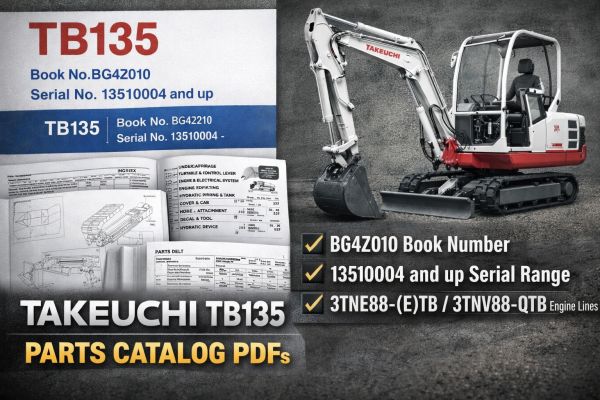
- Illustrated assembly index (major groups like undercarriage, turntable/controls, hydraulic piping & tank)
- Exploded-view plates for assemblies (frames, rollers, idlers, travel device, slew bearing, swivel joint)
- Parts tables with item numbers, part numbers, quantities, and remarks
- Serial-range callouts tied to specific items and sub-assemblies
- Engine line references in the index (multiple engine family entries)
- Accessory/decals/tools group pages and component lists
| Listing marker | Value shown in this PDF | Use it to match |
|---|---|---|
| Series tag | TB135 | Confirms model family |
| Book number | BG4Z010 | Confirms exact edition |
| Serial window | 13510004– | Confirms starting serial coverage |
| Engine family line | 3TNE88-(E)TB(1); 3TNV88-QTB/QTB1; 3TNV88-QTB2 | Confirms engine-coded variant references |
| Document size cue | 654 pages | Helps compare completeness across listings |
Before you purchase, line up the listing’s TB135 + BG4Z010 + serial starting point with your machine’s plate details, then use the engine family line as an extra confirmation if your listing shows it. If you’re browsing multiple excavator PDFs, the excavator hub page is a useful way to compare similar models side-by-side: https://www.repairloader.com/c.php/excavator