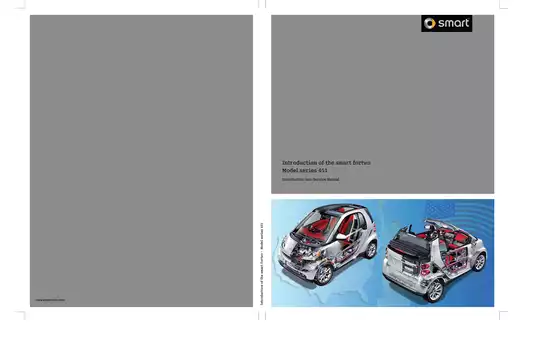
Smart Car Factory Workshop Manuals – OEM Service Documentation
Keep your vehicle performing at factory standards with our professional library of Smart service manuals. This collection provides automotive technicians and dedicated DIYers with the exact dealer-level data used by certified specialists. Our documentation covers the entire Smart lineup, including the Fortwo (W450, W451, W453), Forfour, Roadster, and all Electric Drive (EQ) models.
Authentic Dealer Data: Directly from the Source
When it comes to specialized engineering, generic third-party manuals often fall short. To ensure professional accuracy, our library consists of high-resolution, official factory-sourced documents. These are not summarized guides; they are the original technical blueprints defined by the Mercedes-Benz and MCC engineering teams. By using verified manufacturer data, you ensure the structural integrity of the Tridion safety cell and the precise calibration of all electronic Control Units (ECUs).
Notice: RepairLoader provides authentic manufacturer data for informational and diagnostic purposes only. By purchasing, you acknowledge these risks. Always use insulated tools for EQ models, wear appropriate PPE, and consult a certified technician for high-voltage battery architecture or safety frame repairs.
Professional-Grade Technical Coverage
Our workshop manuals deliver the deep-dive data required for complex diagnostics and component overhauls:
- Engine & Transmission: Complete specifications for M160, M132, and turbocharged series, including clutch actuator calibration for Softouch/Softip systems.
- Smart EQ & Electric Drive: Specialized HV data covering Battery Management Systems (BMS), charging circuits, and electric motor diagnostics.
- Wiring & Electronics: Full-circuit wiring diagrams for the Controller Area Network (CAN), Signal Acquisition Modules (SAM), and safety sensor arrays.
- Chassis & Safety: Critical data for the Tridion safety cell, ESP/ABS calibration, and steering geometry specs.
- Diagnostic Troubleshooting: Full DTC (Diagnostic Trouble Code) charts and service menu protocols for fast fault isolation.
Instant Digital Access
Stop waiting for shipping and get to work immediately. All Smart manuals are available for instant download in high-quality, searchable PDF format. Navigate quickly via keywords or zoom into detailed electrical schematics on your tablet or diagnostic workstation. Get the exact technical blueprint for your Smart model today.
Important: Technical Safety & High-Voltage Disclaimer
The factory manuals in this shop are intended for professional mechanics and individuals with advanced technical skills. Repairing mechanical systems and high-voltage (HV) components carries inherent risks, including vehicle damage or fatal electrical shock.
Smart Manuals (1 total results)