Finding the right sewing machine manual is not always as simple as typing a brand name into a search bar. Similar model numbers, version suffixes, owner manuals mixed with service documentation, and machine-type overlap between standard sewing machines, sergers, and specialty models can all make the wrong listing look close enough at first glance. That is exactly why the RepairLoader sewing machine category is useful as a starting point, even when it does not currently show active listings of its own. It still works as a category-level entry page that points users toward the broader sewing-machine section and helps frame the search before moving into a more specific brand page.
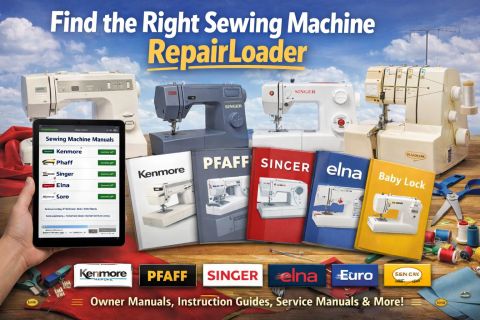
In practical terms, the main sewing-machine category is best used when you know the product type but have not yet decided which brand page will give you the clearest match. It is the page to start from when your real question is still, “Where should I go next?” rather than, “Which exact manual should I buy right now?” Since the category itself currently does not show manuals, its value is not in deep browsing today. Its value is in directing the shopper toward the brand-specific sections where the visible manual inventory and machine-level clues become much stronger.
That same point applies to the knitting machine page and the overlock machine page. Both currently show no manuals found, which is helpful to know before a buyer wastes time expecting them to function as deep inventory pages. For shoppers, that means these pages should be treated more as category signals than as active browsing hubs right now. If your machine is a serger, overlock, or knitting-related unit, the better move is to use that machine type as a filtering idea and then continue into a brand page where the visible listings or model cues are clearer.
The strongest broad starting points in this group are the brand pages that already provide either visible inventory depth or useful selection guidance. The Kenmore page is a good example of a page built for people who need multiple model-specific choices. It currently shows a larger group of manuals and many of them are tied to exact Kenmore model numbers, especially within the 385 family. That makes Kenmore a smart starting point when you already know your machine badge says 385-something, 1230, 1240, 1250, or another exact identifier and you want to compare several nearby listings before choosing. On a page like this, the decision signal is not just the brand name. It is the full model string, including decimals and suffix-like number extensions.
The Pfaff page works differently. It is less useful as a narrow one-model checkpoint and more useful as a broader brand hub where shoppers can compare offers from different sellers, check whether preview is available, and use ratings or manual detail pages to confirm fit before purchase. That makes Pfaff a better starting page when you know the brand but still need to compare listing scope, pricing differences, or seller-provided preview options before deciding. If your Pfaff search is still in the “compare and verify” stage, this page is a logical place to spend time.
The Singer page is one of the clearest pages in this group for actual manual selection logic. It explicitly tells users that Singer machines are often identified by what is printed on the machine itself: model numbers, class designations, suffixes, and sometimes serial or production-range clues. That makes Singer the right place to start when your machine has a complex label and you need help understanding which printed number is the real anchor for the correct manual. This is especially helpful for older or vintage Singer machines, where the family name alone is often too vague to buy safely. If you only remember “Singer” but have not checked the machine plate, you are usually still one step too early to choose the right listing.
The Elna page is particularly strong for buyers who need revision awareness. It emphasizes that many Elna machines can have similar names while still using different internal parts, and it specifically tells users to check the exact model number, suffixes such as SU, Pro, SP, or version-style markers, and even the machine type itself, including whether it is mechanical, electronic, embroidery, or overlock/serger. That makes Elna a very practical page for avoiding one of the most common wrong-manual mistakes: choosing by front-panel name while ignoring the full model identity and revision cues.
The Euro page is useful when the goal is to compare seller listings, watch for pricing differences, and check whether preview or user feedback is available before buying. It positions itself as a broad source for Euro sewing machine manuals across older and newer models, so this is the kind of page where price comparison and detail-page checking matter more than assuming the first matching title is automatically the best one. If your Euro machine is clearly identified and multiple seller listings look similar, this page is best used as a comparison page rather than a rush-to-buy page.
The Baby Lock page currently serves a very different role. It is not a wide brand directory right now. The visible focus is a single model-specific path for the Baby Lock Eclipse DX BLE1DX-2. That means this page is most useful when you already know your machine is that exact model or very close to it. It is not the right page to browse if all you know is “I have a Baby Lock.” It is the right page when the badge on the machine already points you to Eclipse DX and you want a clean yes-or-no confirmation before buying.
This difference between broad pages and narrow pages matters because it changes where a shopper should begin. Start with the main sewing machine category when you need orientation and want to move into the right brand section. Start with Kenmore when you already have a detailed model number and want multiple nearby choices. Start with Pfaff when comparing seller options, previews, or pricing is part of the decision. Start with Singer when the machine label itself is the key to correct identification. Start with Elna when suffixes, versions, and machine type can change fit. Start with Euro when you need a broad comparison page. Start with Baby Lock only when your machine already appears to match the Eclipse DX path shown there.
A few small buying habits can also prevent the wrong purchase. First, never stop at the brand name if the listing gives you more detail. A full model number is usually far more reliable than a broad machine family. Second, pay attention to suffixes, decimals, and letter endings, because those are often where compatibility changes. Third, check whether the listing is an owner manual, instruction manual, service guide, parts reference, or another document type before assuming it covers the same ground as another title. Fourth, if preview is available, use it. A quick preview can often tell you whether a listing is truly model-specific or only generally related. Finally, compare scope before comparing price. The cheaper manual is not the better buy if the title is vague and the higher-priced one clearly identifies the exact machine.
What users will find on these RepairLoader pages, then, is not just a collection of downloadable manuals, but a more useful path to choosing them. Some pages are broad entry points. Some are comparison hubs. Some are narrow confirmation pages built around one exact machine. That layered structure is what makes the shop useful. It helps buyers move from category to brand, from brand to model, and from model to the right document type with less guesswork. For anyone trying to find sewing machine documentation online without getting lost in close-but-not-correct titles, RepairLoader’s sewing-machine section and related brand pages provide a practical route to a more confident purchase.