Toshiba Service & Repair Manuals | Genuine OEM Factory Documentation
Get instant access to professional-grade technical documentation for Toshiba systems and equipment. This repository provides high-resolution, original factory manuals, giving technicians and service professionals the exact specifications needed for diagnostics, routine maintenance, and hardware service.
Precise Technical Data & Factory Specs
Our library focuses on delivering verified OEM data to ensure your equipment meets original manufacturer standards. These manuals serve as the primary authority for:
- Exploded Views & Hardware Architecture: Complete breakdowns of internal components, chassis parts, and mechanical assemblies.
- High-Resolution Schematics: Detailed wiring diagrams, signal flow charts, and circuit layouts for precise troubleshooting.
- Factory Calibration & Tolerance Values: Exact alignment procedures and configuration settings to restore peak performance.
- Maintenance & Service Protocols: Step-by-step guides for periodic servicing, error code resolution, and official part identification.
100% Authentic Factory Workshop Manuals
Accuracy is critical when servicing complex Toshiba electronics and industrial hardware. We provide direct digital duplicates of the official factory literature used by authorized service centers nationwide.
Unlike low-quality third-party guides or poorly scanned PDFs, these original files preserve every technical illustration and part number with perfect clarity. By using official OEM documentation, you eliminate guesswork and rely on the exact tolerances published by the manufacturer.
Built for the Professional Workshop
Engineered for fast-paced service environments, our manuals are delivered in high-fidelity, searchable PDF format.
- Instant Digital Delivery: Download your technical data immediately to reduce equipment downtime.
- Pro Device Compatibility: Optimized for rugged tablets, laptops, and smartphones at the service bench.
- Advanced Search Functionality: Quickly find specific fault codes, components, or maintenance intervals using indexed navigation.
- Print-Ready Quality: High-resolution masters ensure that complex diagrams and small-print schematics remain sharp when printed for shop use.
Safety & Operational Disclaimer
The Toshiba workshop literature provided here is intended for use by qualified technicians and experienced mechanics only. Servicing electronic control systems, high-voltage power supplies, and pressurized assemblies involves significant risk of injury or equipment damage. By using these manuals, you acknowledge they are for technical reference purposes. Always follow standard safety protocols: use calibrated tools, ensure proper ESD protection, and fully discharge capacitors before performing internal service.
Select your Toshiba model below to download the authoritative factory manual and ensure your equipment is maintained with professional precision.
Toshiba Manuals (2 total results)
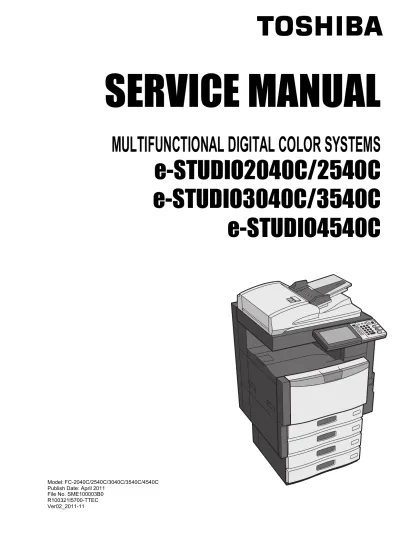
2011 Toshiba e-STUDIO2040C/2540C/3040C/3540C/4540C Copier Service Manual (P/N SME100003B0)