Xerox WorkCentre XD Series Copier/Printer Service Manual
This service manual provides comprehensive coverage for the Xerox WorkCentre XD100, XD102, and XD104 models. It details repair analysis procedures, image quality fixes, and mechanical adjustments.
Manual Preview
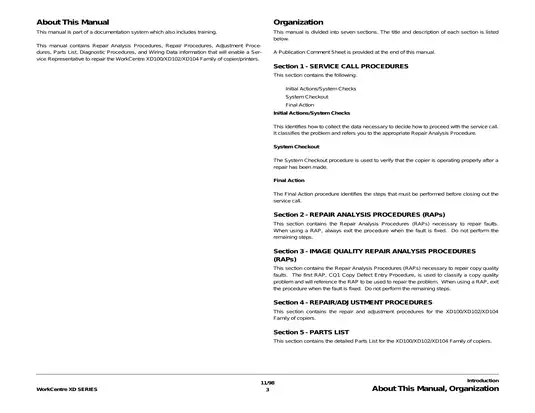
Sample pages from the Xerox WorkCentre XD Series Copier/Printer Service Manual manual
Purchase & Download
Xerox Models Covered & Key Technical Specifications
Models: Xerox WorkCentre XD100, Xerox WorkCentre XD102, Xerox WorkCentre XD104
Build Years: 1998
Serial Numbers: 701P14690
Technical Data:
- Fuser operating temperature: 185° C (operating), minimum 140° C (during cycle)
- Logic voltage level (+5 VDC): +4.8 VDC to +5.2 VDC (High), 0.0 VDC to +1.0 VDC (Low)
- Logic voltage level (+24 VDC): +22.0 VDC to +25.7 VDC (High), 0.0 VDC to +3.0 VDC (Low)
- Fuser assembly resistance: 1.7 ohms +/- 0.5 ohms
- Resolution: 600 dpi effective scan resolution
Xerox Manual Features & Content Preview
Technical Scope and Features
- Built for service professionals maintaining the Xerox WorkCentre XD100, XD102, and XD104 series copier/printer family
- Official Xerox documentation P/N 701P14690, November 1998 edition
- Contains 82 detailed diagrams including block schematics, plug/jack location drawings, and status code entry flow charts
- Files download to your account within seconds of checkout
- Unlimited re-downloads tied to the purchase record
- Suitable for printing individual sections for shop-floor use
- Full-text search finds any part number in seconds
- This 1998 service documentation is the original factory reference used for all technical diagnostics and maintenance procedures on the XD-series platform
Diagnostic and Maintenance Coverage
This publication provides technical guidance for addressing operational faults, including status-code-based repair analysis procedures for laser, motor, fuser, and sensor errors. The content segment covers systematic check-out routines for maintaining copy quality, including optical alignment, toner density management, and transport path cleaning intervals. Technicians will find specific directives for clearing jams and verifying circuit integrity using the included block schematic diagrams.
Technical Data and Specifications
The manual details essential system metrics for verifying copier performance, including logic signal ranges for +5 VDC and +24 VDC rails, and specific fuser resistance values for heat rod diagnostics. Key reference data includes:
- Fuser operation timing: The system expects the fuser to reach 185° C within 27 seconds, and maintained above 140° C during operation.
- Voltage levels: Logic state thresholds for +5 VDC and +24 VDC lines are documented in comprehensive voltage specification tables.
- Service components: Maintenance schedules for parts like ozone filters, rollers, and corotron wires are paired with clear part number references.
Note: This publication is intended for use by trained service personnel and does not provide consumer-level repair instructions. Qualified technicians and the original OEM documentation remain the authoritative source for all service work.
This 331-page Xerox OEM service manual covers the 1998 WorkCentre XD100–XD104 copier/printer family, documenting diagnostic, repair, adjustment, and electrical wiring specifications for professional technical support.
Manual FAQ, Purchase & Download Details
Customer Reviews
Read what our customers say about this Xerox Copier manual and share your own experience.