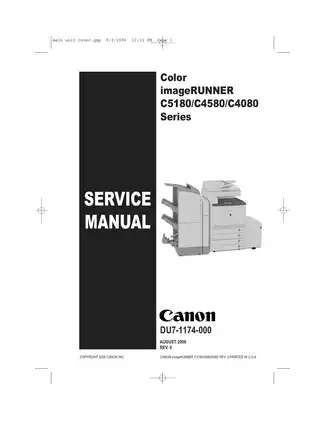
2006 Canon imageRUNNER C5180/C4580/C4080 Service Manual (P/N DU7-1174-000)
851 Pages • 39.14 MB • Instant, Printable PDF
Canon Models Covered & Key Technical Specifications
Models: Canon imageRUNNER C5180, Canon imageRUNNER C4580, Canon imageRUNNER C4080
Sub-models / Variants: C5180i, C4580i, C4080i, iR series
Trade Names: imageRUNNER, imagePASS, ColorPASS, imageWARE
Model Years: 2006
Serial Numbers: DU7-1174-000
Technical Data:
- Printing resolution: 1200 dpi x 1200 dpi
- Photosensitive medium: OPC drum 30.6 mm dia. (4 pc.)
- Warm-up time: iR C5180 Series: 4 min or less; iR C4580/4080 Series: 5 min or less
- Machine weight: 130.0 kg (excluding toner cartridge)
- Dimensions: 620 mm (W) x 850 mm (D) x 1198 mm (H)
- Power supply requirements: 100 V, 120 V, 230 V
- Copyboard: Flat-bed, fixed
Canon Manual Features & Content Preview
- Official 851-page OEM publication (DU7-1174-000, August 2006 revision 0) covering the Canon imageRUNNER C5180, C4580, and C4080 color laser printer series, including the 'i' suffix networking variants.
- Serves as the foundational technical reference for the 2006 launch builds of these high-performance multi-function platforms.
- Features 124 detailed exploded-view diagrams and assembly illustrations for field service and exact parts identification.
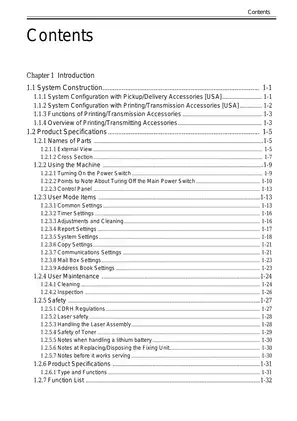
- Delivers fully indexed system, installation, and maintenance chapters.
System Structure and Installation
Understanding the complex modular construction of the Canon imageRUNNER series is critical for efficient field service. This documentation breaks down the exact system integration. You get a detailed look at the setup for various pickup and delivery configurations, which includes the finisher, saddle finisher, and pedestal units. Furthermore, the text maps out the core electrical circuitry alongside image data flow and the precise startup sequences required for the image processing system. Adding optional kits like Super G3 fax boards, Universal Send components, or the MEAP platform? The exact installation parameters are documented here to ensure seamless integration.
Maintenance and Technical Data
Routine upkeep requires exact specifications. Detailed chapters outline the mandated periodic maintenance and inspection procedures for the reader, printer, and fixing assembly units. Working on these high-voltage electrical components and moving mechanical parts requires proper technical training and adherence to standard workshop safety protocols to prevent injury or equipment damage. The documentation lists precise values for the image formation system, diving into the OPC drum and toner supply mechanisms. You will find essential reference data for electrical power, covering the rated output of the DC power supply PCB and backup battery specifications. When diagnosing faults, the comprehensive service modes and error code tables streamline the troubleshooting process. Finally, the material outlines specific adjustment procedures for margins, auto gradation correction, and fixing belt temperature control to help technicians restore factory print quality.
Customer Reviews
Read what our customers say about this Canon Copier manual and share your own experience.