GMC Service & Repair Manuals: Professional-Grade Factory Resources
Maintaining a heavy-duty GMC truck, van, or SUV requires technical documentation that mirrors your specific vehicle build. We provide instant access to high-resolution, digital shop manuals and Genuine Factory-Sourced Documentation for the entire GMC lineup—including Sierra, Savana, Yukon, Acadia, and mid-size platforms like the Terrain or Canyon.
Accurate Data Based on Your Configuration
A simple model search isn't enough for professional-grade GMC maintenance. Technical specifications vary significantly based on engine options (such as the 4.3L V6, 5.3L V8, or the 6.6L Duramax Diesel), drivetrain layouts (RWD vs. 4WD/AWD), and specific trailering packages. To eliminate mechanical guesswork and ensure VIN-level precision, please identify your exact model year and powertrain configuration in the listings below before selecting your file.
Choosing the Right Documentation
Our inventory covers the full spectrum of workshop needs. If you require standard fluid capacities, fuse box diagrams, or basic operating procedures, a "GMC Owner’s Manual" is usually sufficient. For more complex projects—such as front differential diagnostics, Allison transmission overhauls, or troubleshooting electrical faults within the StabiliTrak system—you will need a dedicated "Service Manual" containing official teardown sequences and master wiring schematics.
Safety & Liability Disclaimer
The Original Factory Shop Manuals available here are designed for professional technicians and experienced mechanics. Servicing heavy-duty equipment involves inherent risks, particularly when handling SRS (airbag) components and high-pressure fuel systems. By purchasing a manual, you acknowledge that RepairLoader provides manufacturer-derived data for informational and educational purposes. Always prioritize workshop safety: use calibrated torque tools, wear appropriate PPE, and consult a certified GM Master Technician for any procedure beyond your skill level.
High-Resolution OEM Schematics & Support
Whether you are resolving a complex transmission shift issue or looking up torque sequences for a brake system overhaul, clear documentation is non-negotiable. Our downloadable PDFs feature high-resolution diagrams derived directly from Official Manufacturer Blueprints. Once purchased, your files are available for immediate download. If you have difficulty locating a specific manual for your drivetrain or RPO codes, our customer support team provides a permanent download guarantee to ensure you get the data you need.
GMC Manuals (5 total results)
2007–2010 GMC Acadia Owner's Manual (P/N 25851640 B)
2003–2010 GMC Savana 4.3L, 4.8L, 5.3L, 6.0L, 6.6L Owner's Manual (P/N X 2314 A)
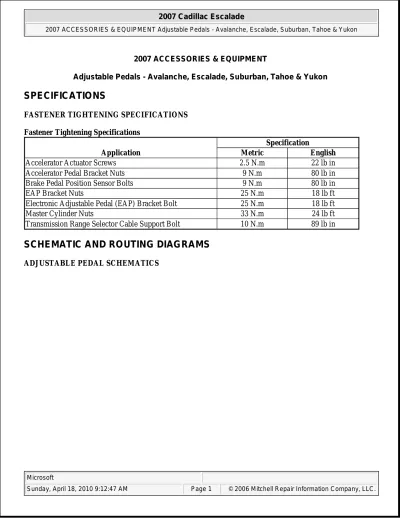
2007 Cadillac Escalade Service Manual
1996–2002 GMC Savana Factory Service Manual (P/N X2114 A)