Ricoh Copier, Printer & Production System Service Manuals
Servicing commercial and industrial imaging equipment requires exact specifications. The Ricoh lineup covers everything from compact Aficio office printers to high-volume Pro Series presses and wide-format plotters. Since mechanical tolerances for paper feeding, toner transfer, and fusing vary drastically between models, a generic guide simply won't cut it. To accurately diagnose image quality defects or clear specific Ricoh SC (Service Call) codes, your documentation must match the exact model number, product code, and firmware of the machine on your bench.
Unaltered Factory Service Manuals
Downtime costs money in commercial print environments. We provide unaltered factory service manuals to give field techs, industrial mechanics, and experienced professionals the reliable data they need. Generic aftermarket guides often miss critical service mode (SP mode) access codes, complex gear timing diagrams, and laser unit alignment procedures. Using genuine manufacturer documentation ensures every adjustment and sensor calibration matches Ricoh's exact engineering standards.
Comprehensive Electromechanical Specifications
Our digital library equips service professionals with the precise data required for thorough troubleshooting and teardowns. The factory literature covers specialized Ricoh systems, including:
- Imaging & Fusing Units: Clearance specs for developer bias adjustments, laser synchronization (polygon mirror motors), and fuser temperature control thermistor diagnostics.
- Paper Transport & Finishing: Factory calibration data for diagnosing complex misfeeds, adjusting registration clutch timing, and servicing advanced booklet makers.
- Electronic Architecture & Firmware: High-resolution wiring schematics detailing main controller board logic, high-voltage power supply (HVPS) limits, and specific SP Mode entry sequences.
- Network & Scanning Systems: Troubleshooting flowcharts for SMB/FTP errors, document feeder (ADF) skew adjustments, and hard drive formatting protocols.
Instant, High-Resolution PDF Downloads
All technical service manuals and parts catalogs are delivered as secure, instant PDF downloads. Sourced directly from the original manufacturer archives, every intricate wiring blueprint and exploded parts diagram is crisp and clear—perfect for zooming in on a field laptop or rugged tablet. Select your specific Ricoh model series and product code below to download your certified factory guide.
Safety and Maintenance Warning The factory repair documents supplied here are strictly intended for qualified field technicians, industrial mechanics, and experienced repair professionals. Working inside commercial copiers exposes you to severe hazards, including high-voltage power supplies and extreme heat from thermal fuser units. By accessing these files, you understand that RepairLoader provides this unedited manufacturer literature strictly as a reference tool. You assume all responsibility for your own safety: always disconnect power and allow components to cool before opening panels, use insulated electrician-grade tools, and immediately halt any work that exceeds your technical expertise.
Ricoh Manuals (6 total results)
2007 Ricoh MP C6000/MP C7500 Color Copier Service Manual (P/N D014/D015)
Ricoh B262/B280/B292/B293 Copier 2006–2010 Service Manual OEM (P/N S-C3)
2006 Ricoh B230/B237 (AT-C1) Copier Service Manual
2006 Ricoh B245/B276/B277/B268/B269 Copier Service Manual
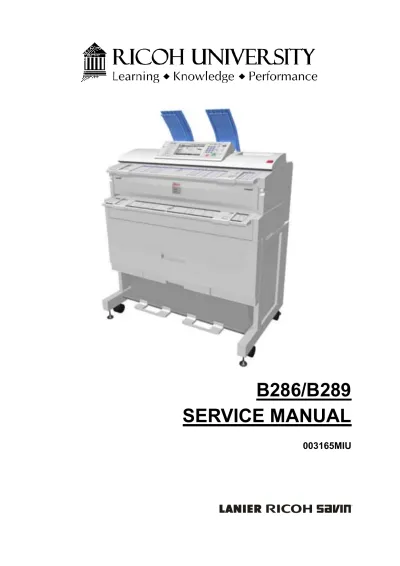
Ricoh B286/B289 Printer Service Manual (P/N 003165MIU)